Biobank Intro Series: All of Us Genetic Data
Navigating All of Us genotype data for variant extraction and analysis
If UK Biobank RAP gives you a filing cabinet with labeled drawers, All of Us gives you a bucket of blobs. Technically everything you need is in there. Somewhere. In blob form. The official Google Cloud Storage documentation uses the word “blob” without apparent embarrassment. I have thoughts about this. They are not printable.
Yes, “blobs” is the technical term for flat storage objects, organized by path conventions rather than a true directory hierarchy. There are no folders, just prefixes that cosplay as folders. Until you internalize this, you may spend a lot of time fishing in the bucket.
gs://fc-aou-datasets-controlled/v8/wgs/short_read/snpindel/aux/phasing/chr${CHROM}_AOU_v8.2_allsamples_phased.vcf.gz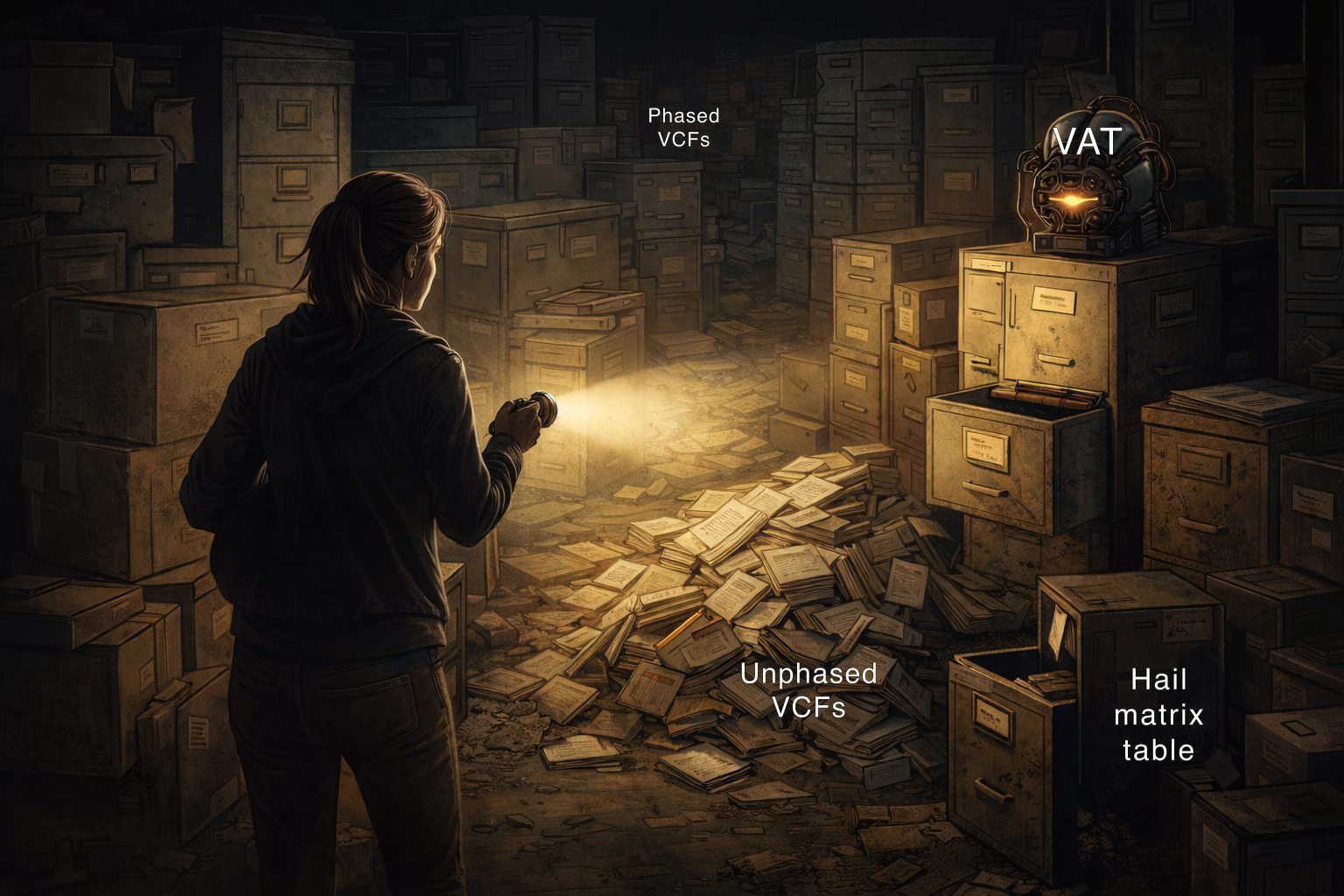
The All of Us documentation assures us that the data exists. Somewhere. In some format. Accessible via… environment variables? Googling variations of “all of us wgs sequencing data” will lead you to get increasingly creative with gsutil ls commands. Let me save you some time. Here’s where the genotype data actually lives.
Similar to the recent WGS releases in UK Biobank, All of Us provides whole genome sequencing data in phased and unphased VCF formats. The concepts covered there, what “phased” means and when you’d choose one format over the other, carry over directly so I won’t re-explain them here. What’s different is where the files live and how you get data out of them.
| Format | Notes | Path |
|---|---|---|
| Phased VCFs | By chromosome, easiest to access | gs://fc-aou-datasets-controlled/v8/wgs/short_read/snpindel/aux/phasing/chr${CHROM}_AOU_v8.2_allsamples_phased.vcf.gz |
| Unphased VCFs | Sharded into 20,016 files | gs://fc-aou-datasets-controlled/v8/wgs/short_read/snpindel/exome/vcf/${BATCH}.vcf.bgz |
| Hail MatrixTable | For distributed computing | $WGS_EXOME_MULTI_HAIL_PATH |
| Variant Annotation Table (VAT) | Gene-level annotations | gs://fc-aou-datasets-controlled/v8/wgs/short_read/snpindel/aux/vat/vat_complete.bgz.tsv.gz |
Streaming VCFs from GCS
On UKB RAP, we worked around dx cat buffering problems by generating a temporary HTTPS URL with dx make_download_url and pointing bcftools at that directly (see post 02). On AoU, gsutil cat actually streams without buffering, so you can pipe it straight into bcftools. No URL workaround needed. If your environment is authenticated via GOOGLE_APPLICATION_CREDENTIALS or gcloud auth, bcftools may be able to read gs:// paths directly, though I haven’t tested this.
Code
# Phased VCFPHASED_VCF="gs://fc-aou-datasets-controlled/v8/wgs/short_read/snpindel/aux/phasing/chr${CHROM}_AOU_v8.2_allsamples_phased.vcf.gz"gsutil -u $GOOGLE_PROJECT cat ${PHASED_VCF} \  | bcftools view -t ${CHROM}:${REGION_START}-${REGION_END} -O z -o phased_region.vcf.gz
# Unphased VCF shardUNPHASED_VCF="gs://fc-aou-datasets-controlled/v8/wgs/short_read/snpindel/exome/vcf/${BATCH}.vcf.bgz"gsutil -u $GOOGLE_PROJECT cat ${UNPHASED_VCF} \  | bcftools view -t ${CHROM}:${REGION_START}-${REGION_END} -O z -o unphased_region.vcf.gz
The phased files do come with .tbi indexes, but since piped input isn’t seekable, bcftools can’t use them. The -t flag streams and filters for both file types. The index is there if you ever download a file locally and query it repeatedly, but for the streaming workflow it doesn’t factor in.
Finding Your Unphased Shard
The unphased VCF files live at gs://fc-aou-datasets-controlled/v8/wgs/short_read/snpindel/exome/vcf, sharded by genomic position into files numbered 0000000000 to 0000020016. There is no chromosome in the filename and no documented estimate of how many base pairs each shard covers. Each shard has a companion .interval_list file that tells you what regions it contains, which means the only way to find your region is to open interval lists until you find it.
The internet has fancy solutions for finding your regions of choice, but if you only need one region and you’re willing to be a little scrappy, a manual binary search is often faster than building proper infrastructure: jump to the middle of the file range, check the interval list with gsutil, then halve the range again based on whether your region fell above or below. Looping through all 20,016 files programmatically would be painfully slow. Use the script below as a verification tool, not a search engine, unless you have a long weekend and a lot of patience.
Code
import pandas as pdimport subprocessfrom tqdm import tqdm
# SET YOUR REGION OF INTEREST HEREchrom = "11"region_start = 47331406region_end = 47352702
vcf_filelist = []start = Falsefor i in tqdm(range(0, 20016)):    file_int = str(i).zfill(10)    interval_f = f"gs://fc-aou-datasets-controlled/v8/wgs/short_read/snpindel/exome/vcf/{file_int}.interval_list"    cmd = f"gsutil -u $GOOGLE_PROJECT cat {interval_f} | grep '^chr'"    p = subprocess.Popen(cmd, shell=True, stdout=subprocess.PIPE)    range_df = pd.read_csv(p.stdout, header=None, sep="\t")    range_df.columns = ['chrom', 'start', 'stop', 'strand', 'score']    if not start:        region_count = (            (range_df['chrom'].str.contains(chrom)) &            (range_df['start'] >= region_start)        ).sum()        if region_count > 0:            vcf_filelist.append(file_int)            print(file_int)            start = True    else:        region_count = (            (range_df['chrom'].str.contains(chrom)) &            (range_df['stop'] <= region_end)        ).sum()        vcf_filelist.append(file_int)        if region_count > 0:            print(file_int)            break
If you’re planning to do this repeatedly, build an index of shard positions once and query that instead. Why one doesn’t already exist is a great question.
Extracting and Merging Your Region
Once you have your shard list, stream each one through bcftools to subset to your region, then merge:
Code
# SET YOUR REGION OF INTEREST HEREchrom="11"region_start=47331406region_end=47352702
shard1=0000002366  # FIRST_SHARD_NUMBERshard2=0000002367  # LAST_SHARD_NUMBER
BASE="gs://fc-aou-datasets-controlled/v8/wgs/short_read/snpindel/exome/vcf"
# 1. Subset each shard to your regiongsutil -u $GOOGLE_PROJECT cat ${BASE}/${shard1}.vcf.bgz \  | bcftools view -t ${chrom}:${region_start}-${region_end} -O z -o ${shard1}_region.vcf.gz
gsutil -u $GOOGLE_PROJECT cat ${BASE}/${shard2}.vcf.bgz \  | bcftools view -t ${chrom}:${region_start}-${region_end} -O z -o ${shard2}_region.vcf.gz
# 2. Index the filtered VCFstabix -p vcf ${shard1}_region.vcf.gztabix -p vcf ${shard2}_region.vcf.gz
# 3. Concatenatebcftools concat -a -O z \  -o merged_AOU_v8_unphased.vcf.gz \  ${shard1}_region.vcf.gz \  ${shard2}_region.vcf.gz
# 4. Index the merged VCFtabix -p vcf merged_AOU_v8_unphased.vcf.gz
# 5. Save to your workspace bucketgsutil -u $GOOGLE_PROJECT cp merged_AOU_v8_unphased.vcf.gz $WORKSPACE_BUCKET/data/
What About Hail?
As I mentioned in post 02, Hail requires an expensive Spark cluster and is overkill for single-gene or single-region work. For those cases, bcftools is faster and cheaper. If you’re doing something genuinely genome-wide that needs distributed computing, the MatrixTable is available at $WGS_EXOME_MULTI_HAIL_PATH. If you go that route, always filter at read time using the _intervals parameter. Loading the full genome MatrixTable on the default cluster will crash it.
Code
import hail as hlimport os
chrom = "11"region_start = 47331406region_end = 47352702
aou_wgs_mt = os.getenv("WGS_EXOME_MULTI_HAIL_PATH")
# Filter at READ time, not after loadingyour_interval = hl.eval(hl.parse_locus_interval(f'{chrom}:{region_start}-{region_end}'))mt = hl.read_matrix_table(    aou_wgs_mt,    _intervals=[your_interval]  # Only load this region!)
Bonus: The Variant Annotation Table (VAT)
If you need variant annotations like gene names and predicted consequences, All of Us provides a massive TSV file you can grep by gene name:
Code
#!/bin/bash
# SET YOUR GENE OF INTEREST HEREgene="MYBPC3"
project=$GOOGLE_PROJECTbucket=$WORKSPACE_BUCKETvat_f="gs://fc-aou-datasets-controlled/v8/wgs/short_read/snpindel/aux/vat/vat_complete.bgz.tsv.gz"
echo "Starting ${gene} extraction at $(date)"gsutil -u $project cat $vat_f | gunzip | head -1 > ${gene}_vat_v8.tsvecho "Header retrieved at $(date)"
echo "Extracting ${gene} variants..."gsutil -u $project cat $vat_f | gunzip | grep $'\t'"${gene}"$'\t' >> ${gene}_vat_v8.tsvecho "Done at $(date)"
wc -l ${gene}_vat_v8.tsv
echo "Uploading to workspace bucket..."gsutil -u $project cp ${gene}_vat_v8.tsv ${bucket}/data/${gene}_vat_v8.tsvecho "Upload complete at $(date)"
Before you run this: set your idle timeout to at least 8 hours. The file is ~150 GB compressed, grepping through it takes 45 minutes or more, and if your instance sleeps halfway through you’re starting over. The output is human-readable and easy to work with, but it’s not indexed, so tabix isn’t an option. What you see above is about as fast as it gets without an index.
Putting It All Together
If there’s a theme to this post, it’s this: All of Us has enormous data and almost no indexes to help you navigate it. The unphased VCFs are sharded into 20,016 files with no chromosome in the filename. The VAT is 150 GB compressed with no tabix support. The documentation points you to environment variables and leaves the rest to you. You’re not doing something wrong when it takes a while. That’s just the deal. Start the script, set your idle timeout, and go do something else.
Could someone build proper indexes for all of this? Yes. Should they? Absolutely. Is that a job for a skilled computational biologist who understands the data well enough to do it right? Also yes. If you’re reading this and thinking “someone should fix that,” that someone could be you.
Go forth and blob on.